Case study · Product
Loop Master
A website drawn in hidden lines.
Loop Master teaches artists to imagine the hidden back of a form. We rebuilt its website so every page is drawn the same way: visible lines solid, hidden lines dashed, loops in orange. The home page went from about 6.8 MB to 0.4 MB on first load.

- Project
- Loop Master, our own free drawing-practice tool (Godot web game)
- Scope
- Art direction, design system, front-end build, deployment
- Stack
- Astro 7, TypeScript, Three.js, GitHub Pages + Git LFS
- Timeline
- October 22–23, 2026, from first sketch to launch
- Pages
- Home, Practice, About, Contact, Terms, 404
- Result
- ~16× lighter home page: 6.8 MB → 0.4 MB on first load
Context
Draw the unseen
Loop Master is a free, browser-based drawing trainer for artists of every level. It is a Godot web game: it shows a generated 3D form and gives you a set time to draw cross-contour lines around it, then gives feedback.
A cross-contour line is the path a thin slice through a form would leave on its surface. Drawn on a cylinder it is an ellipse; on a sphere, a ring that thins toward the silhouette. Half of every loop runs around the back, where you can't see it. Imagining that hidden half is the whole skill, which is why the tagline is “Draw the Unseen.”
The game worked. The website around it, the place where artists first meet the idea, did not explain it.
The problem
A template that never showed the idea
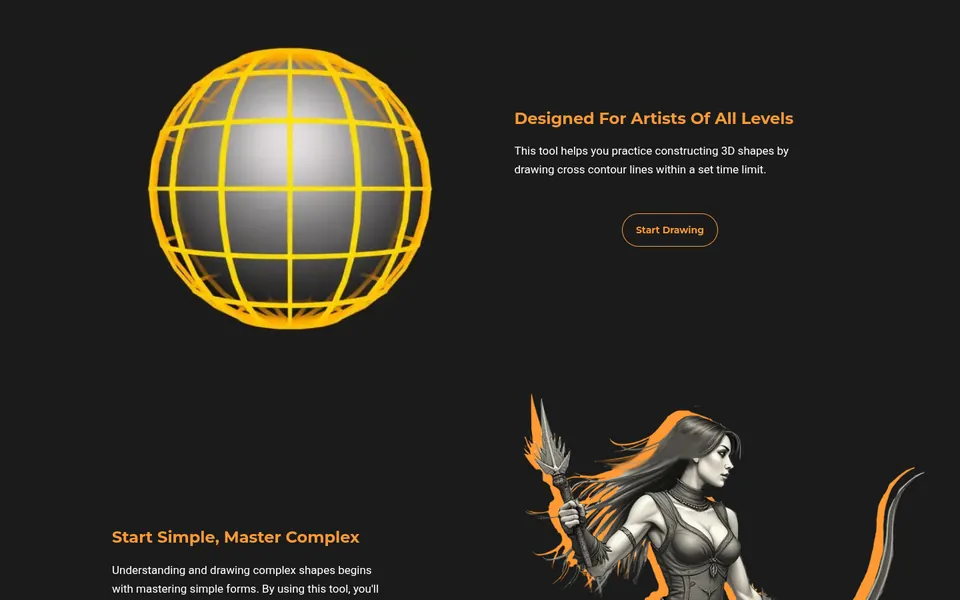
The old site was a WordPress + Elementor build exported to static HTML. We made it while starting out in design and WordPress, and it played it safe. It looked like a template, weighed a lot, and never showed the idea it was selling.
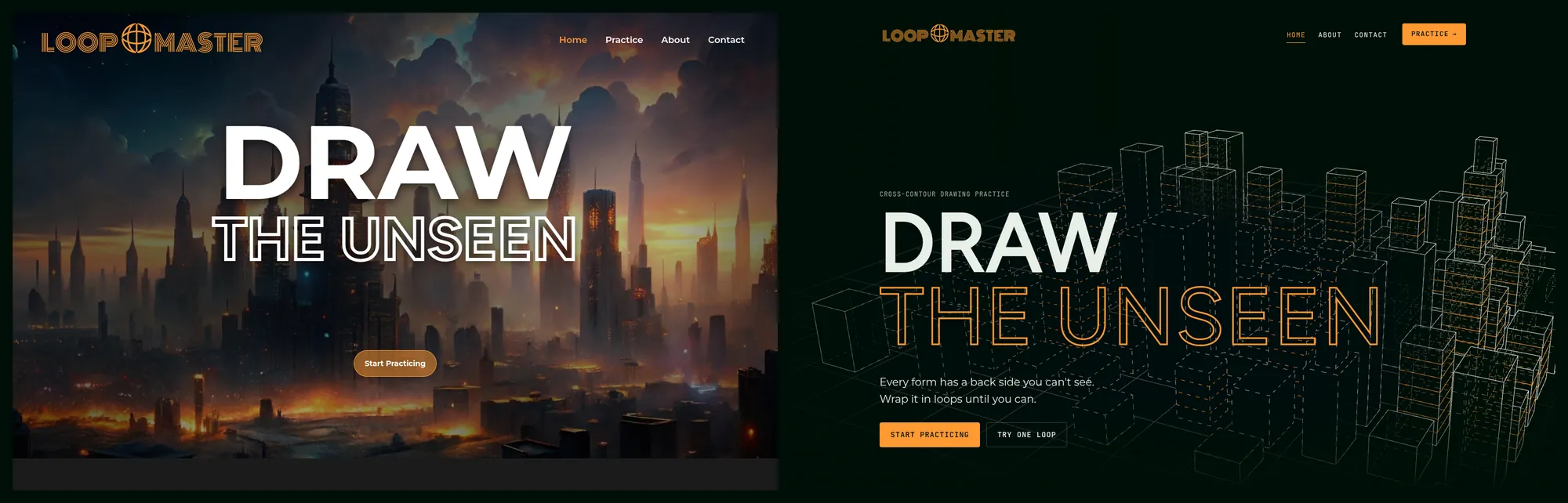
- Template layout. Elementor defaults (Montserrat, Roboto, Figtree) and the same text-left / image-right block repeated down every page.
- No system. The brand accent,
#ff9933, existed but was buried in Elementor's global palette. A custom “Unseen” display font appeared only in the headline. - Heavy. The home page transferred about 6.8 MB in 29 requests, 6.7 MB of it images. The export was 140 files and 18.6 MB, not counting the game.
- Messy export. Leftover
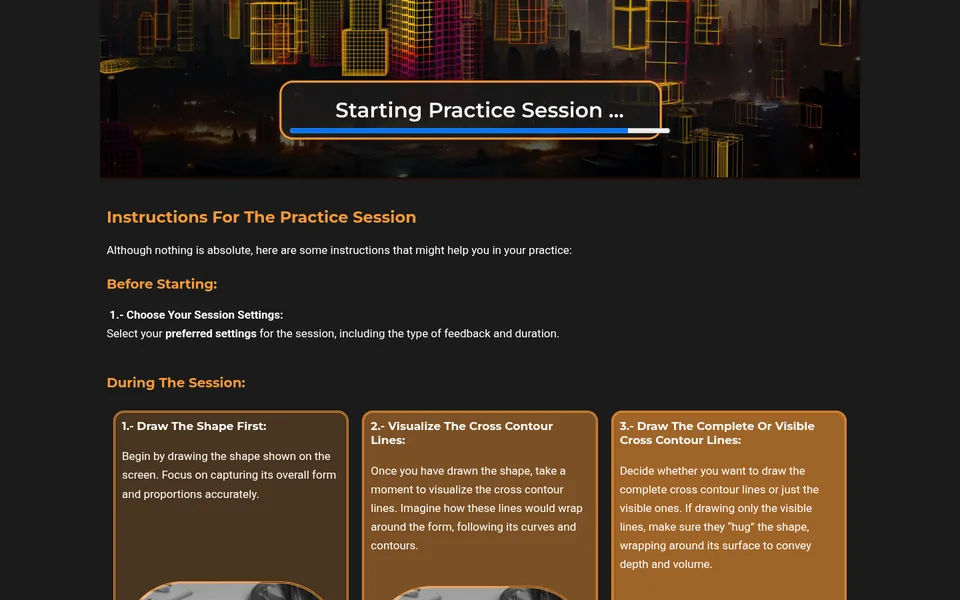
localhostandwp-jsonreferences, and the Practice page embedded the game twice. - Instructions as walls of text, illustrated with two blurry raster cylinder diagrams.
The idea
Design with the technique you teach
Instead of decorating the site, we borrowed the rules of a construction drawing and applied them to everything: visible lines are solid, hidden lines are dashed, loops are orange. If a visitor understands the website, they already understand the exercise.
We set the type and colour system before building a single page. Digging through the old Elementor CSS showed the near-black green #000f07 was not the only brand colour: #ff9933 was already there as the accent. Both stayed.
-
--ink
#000f07
Page background
-
--ink-2
#0a1a12
Cards, raised surfaces
-
--line
#e8efe9
Visible lines, text
-
--line-dim
#e8efe9 · 22%
Hidden lines, borders
-
--muted
#9fb0a6
Secondary text
-
--accent
#ff9933
Loops, main action, “you are here”
Orange is scarce and means something. It marks a loop, the main action (Practice), or the current page, and nothing else. The rule became explicit after we caught Practice glowing orange in the footer while on the Contact page.
- Display: the custom “Unseen” font from the first version, kept as the brand's voice.
- Body: Montserrat, switched from Inter so the site matches the game's UI.
- Labels: JetBrains Mono in small caps, like annotations on a technical drawing.
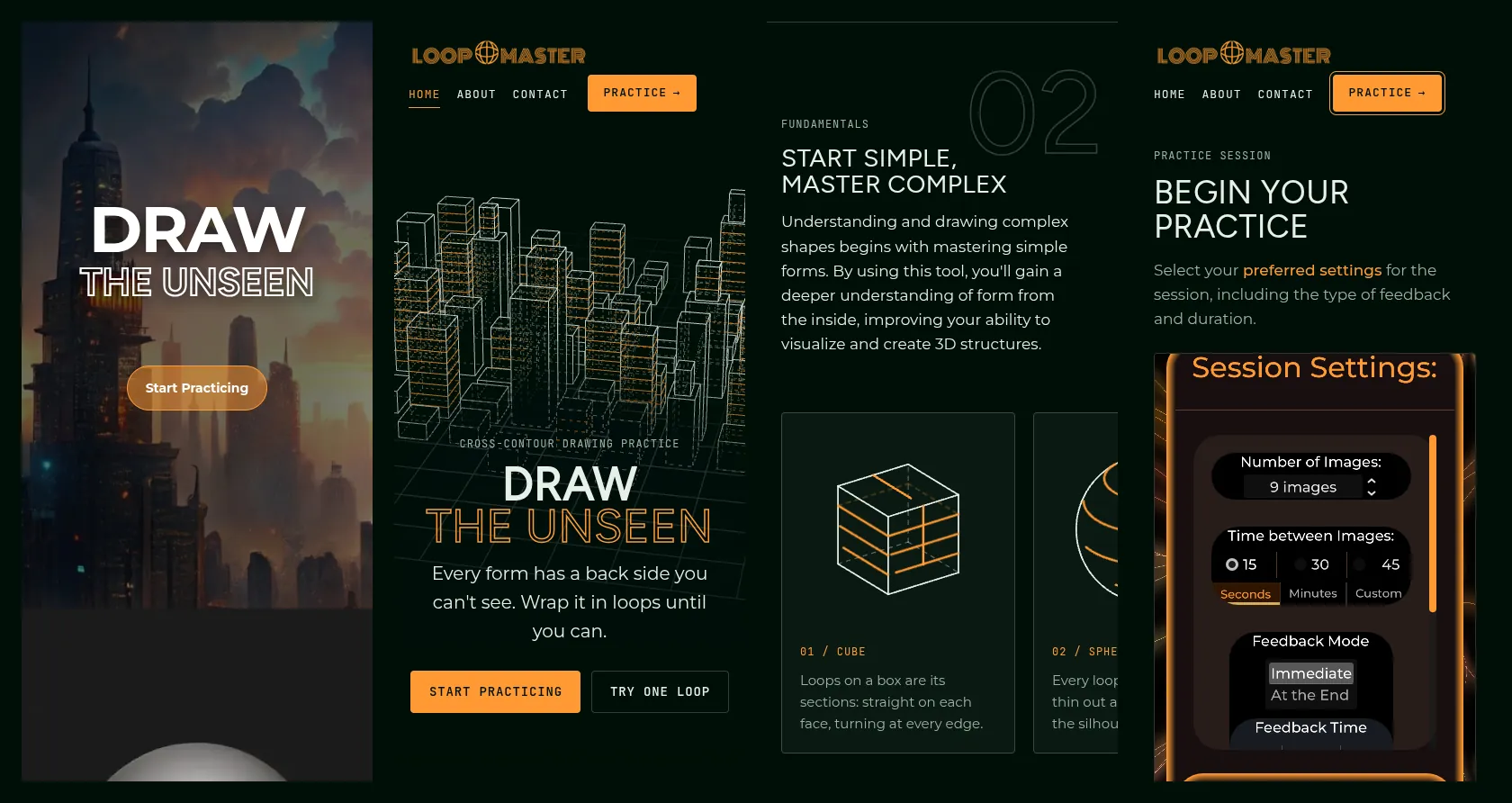
The signature move is a solid DRAW beside a hollow, outline-only THE UNSEEN: what you see next to what you imagine. Outline words return as accents (“FORM,” “GAP,” “UNSEEN”), with giant outline section numbers 01–04 and imagery that fades into the dark ground instead of sitting in boxes.
Home
Four moments that teach the idea
1 A city drawn in hidden lines
The hero is a live Three.js city: 104 seeded box buildings wrapped in 168 orange cross-contour loops. Hidden edges are drawn as faint dashes behind the visible ones, so the first thing a visitor sees is the technique itself. It turns slowly and tilts slightly toward the cursor.
Putting a headline on top of it took five rounds: a small city on the right; a bigger city with loops; a centred headline in a dark pool that hid the best part of the city; left-aligned text over an “unseen zone” with hard edges, rejected as boxy; and finally the same zone with a soft, organic shader edge that slowly breathes.
In the final version the city behind the words is re-rendered all-dashed and blended in through that soft mask. The text sits on calm ground without a black box, and the concept shows up in the layout: behind the words, the city becomes unseen.
2 Try it: “Wrap the form”
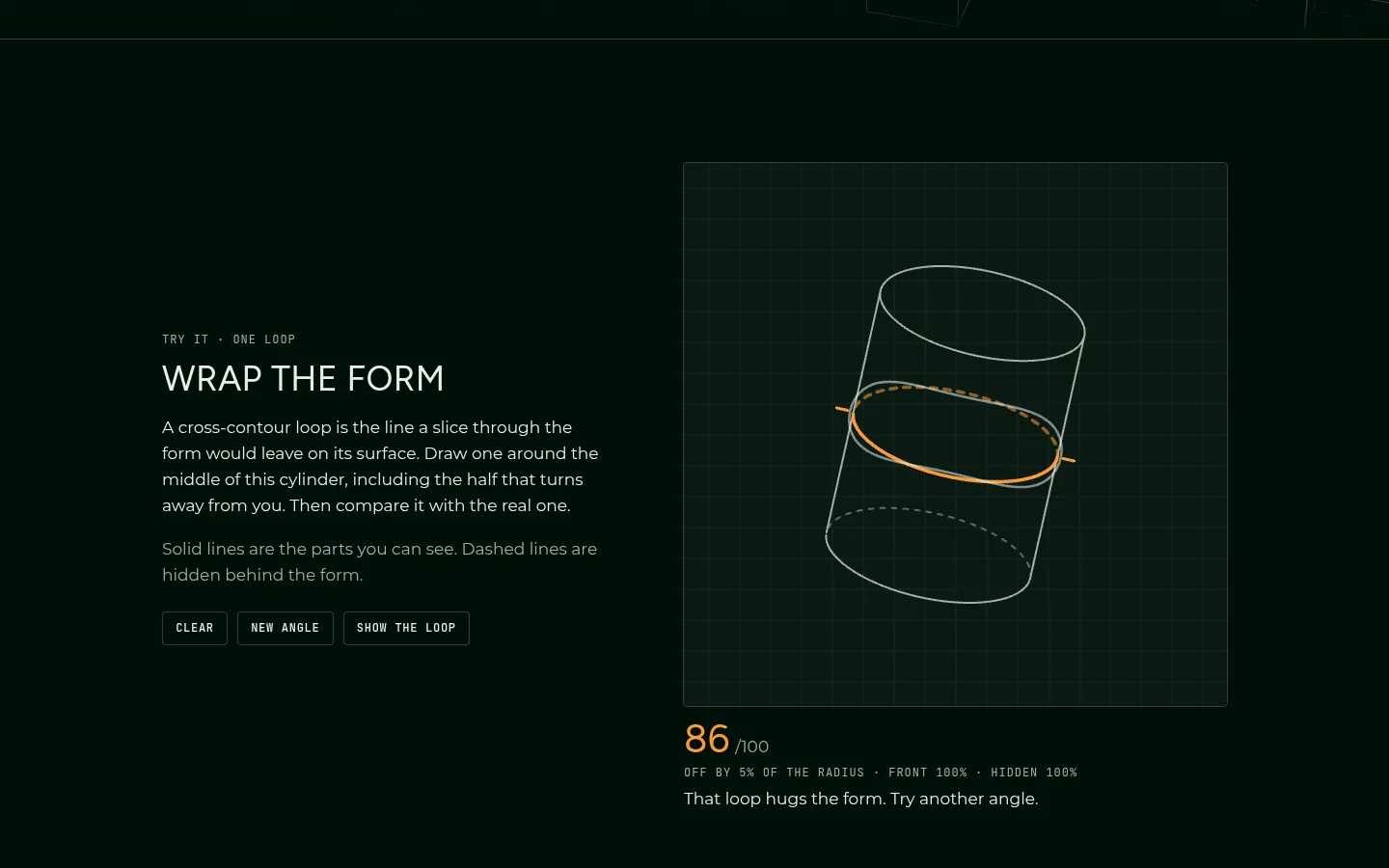
One scroll down, visitors draw a single loop around a tilted cylinder. The true loop is then overlaid (front half solid, back half dashed) and scored on deviation and front/back coverage, with a hint about carrying the line around the hidden back half. It is the game in ten seconds, before anyone clicks Practice.
3 Breaking the template
We wanted something “weirder but still good” than text-left / image-right. We sketched four layouts (construction-line grid, specimen strip, x-ray lens, broken grid) and kept three:
- Broken grid (01, 03): images bleed off the page edge, headings overlap them with a difference blend, and the two spreads mirror each other in a zig-zag down the page.
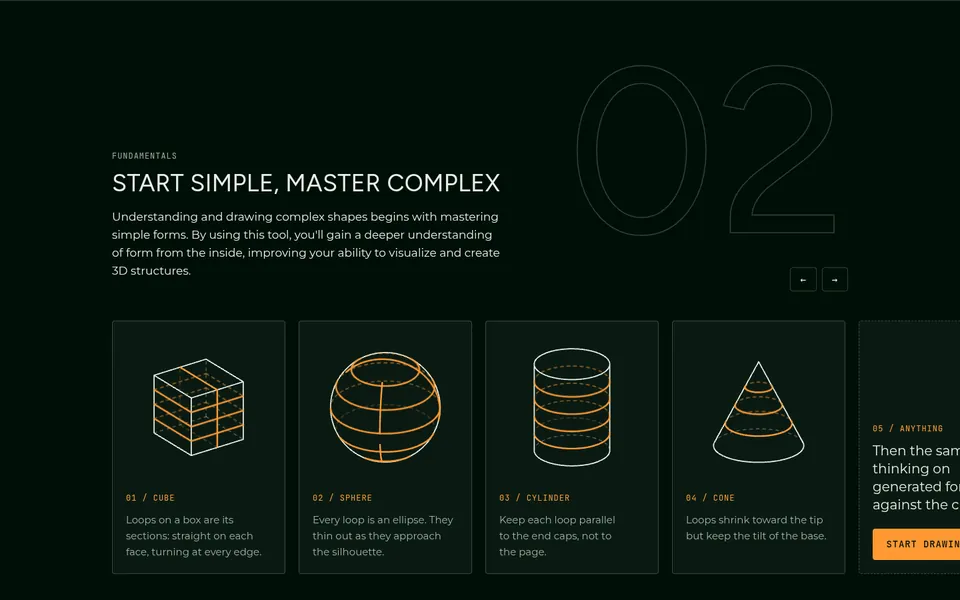
- Specimen strip (02): cube, sphere, cylinder and cone drawn as SVG at build time. Their loops draw, hold, erase and repeat while on screen.

4 The x-ray lens
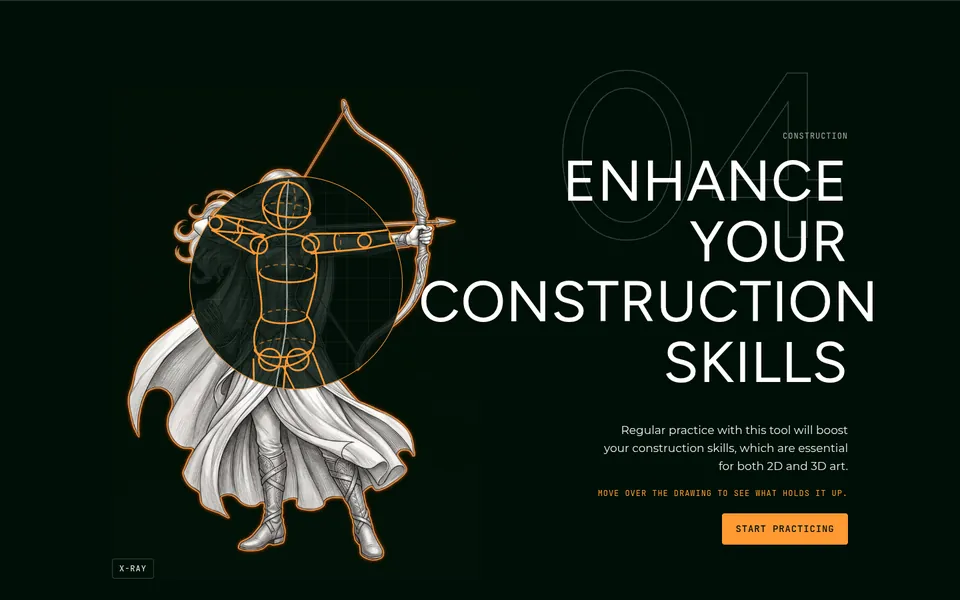
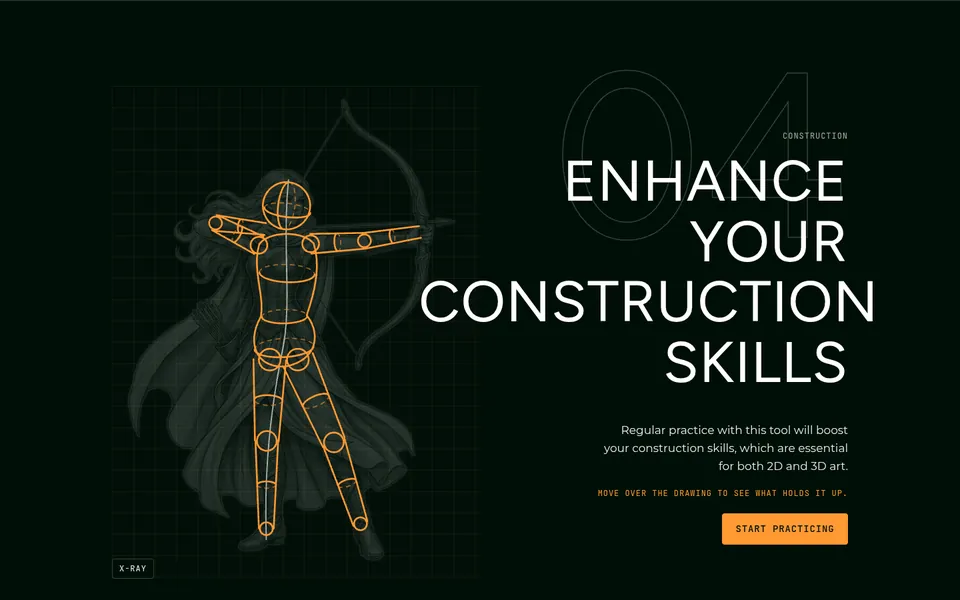
Section 04 puts a lens over an archer illustration. Hover, and a simple mannequin appears over a ghost of the figure: sphere head, bean torso, cylinder limbs, joint spheres, a gesture line, loops. A button does the same for touch and keyboard users.
The first version stacked detailed traced linework on detailed construction, and it was too busy. We cut it back to a classic mannequin so the message reads instantly: she starts as a few simple shapes.
Practice
The tool comes first
On the old Practice page the game sat below a banner and was embedded twice. Now it is the first thing on the page, set like a drawing desk, with one embed and the instructions below it.
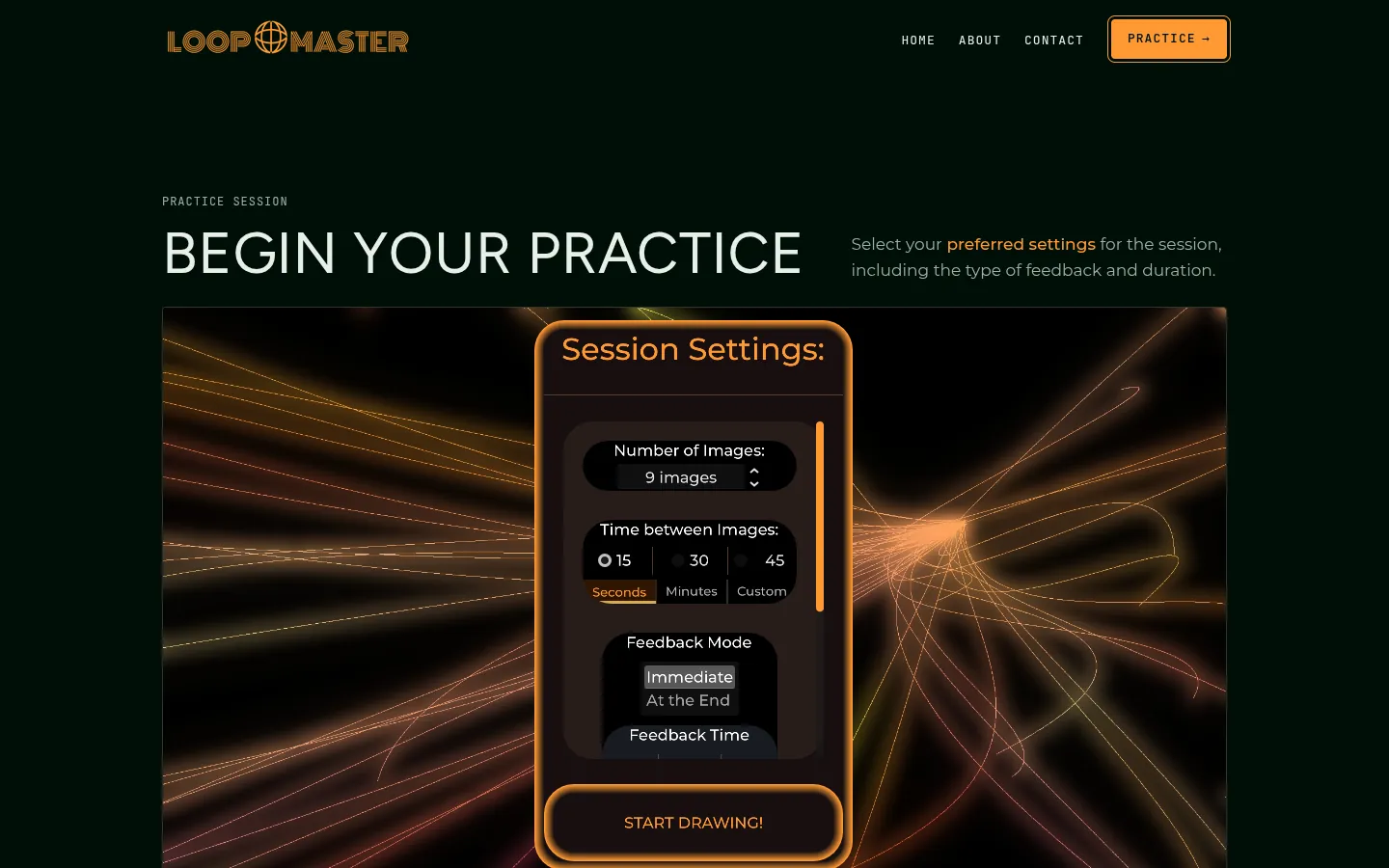
- Focus mode puts the game in real fullscreen, with a CSS fallback for iPhone Safari, which doesn't support the Fullscreen API on most elements.
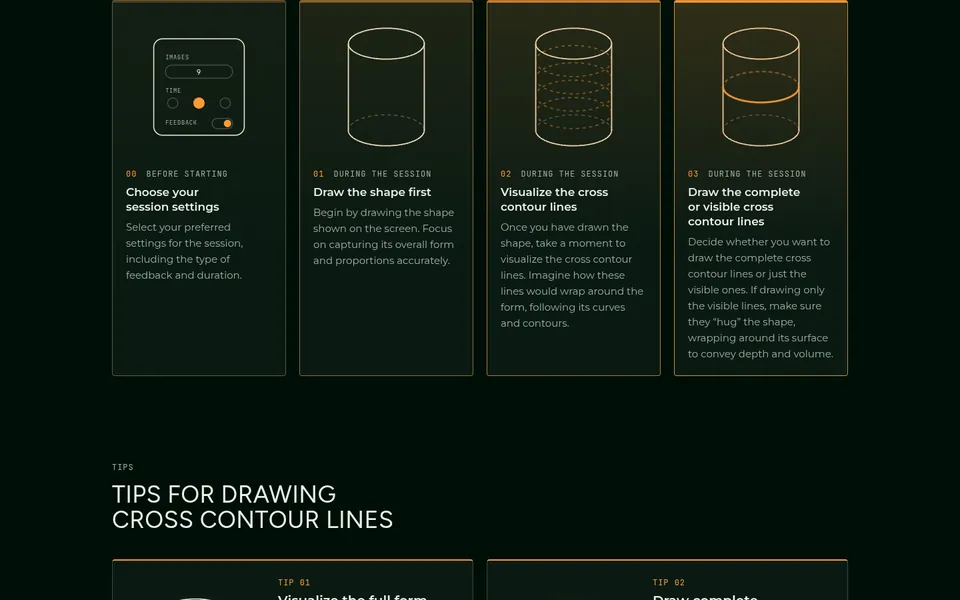
- A four-step visual timeline replaces the old text blocks. The same cylinder builds up step by step, and the cards “heat up” from faint to full orange as the session progresses.
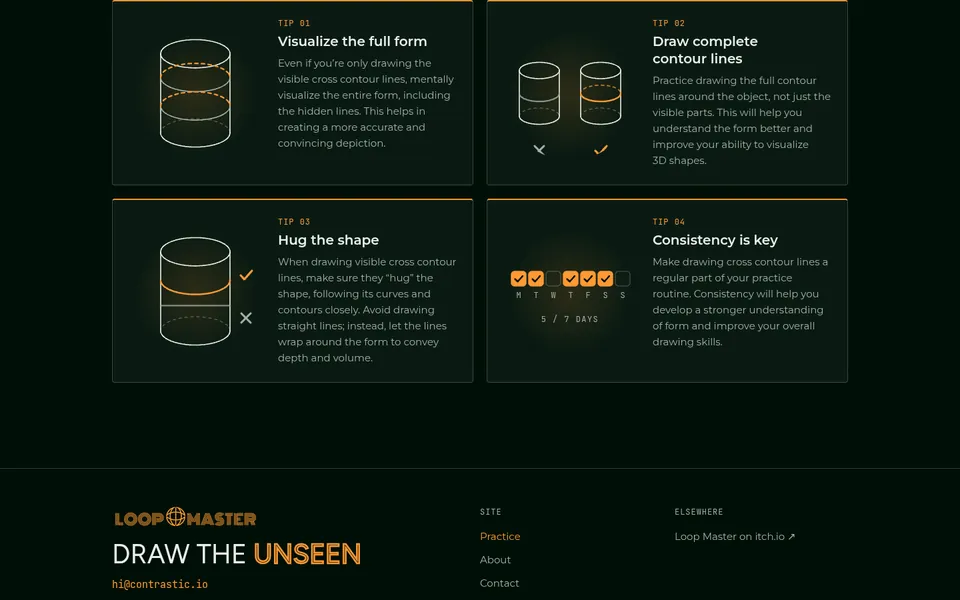
- Do / don't tip cards use vector diagrams instead of the blurry rasters: a curved loop that hugs the form gets a check, a flat line gets a cross.
- A phone note sets expectations for drawing on a small screen.
Art direction
One style for every image
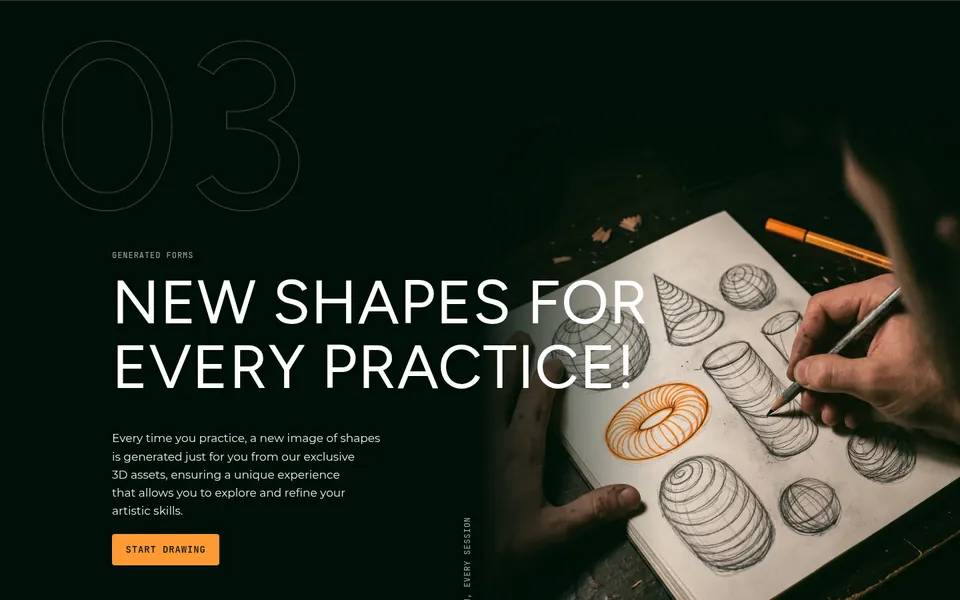
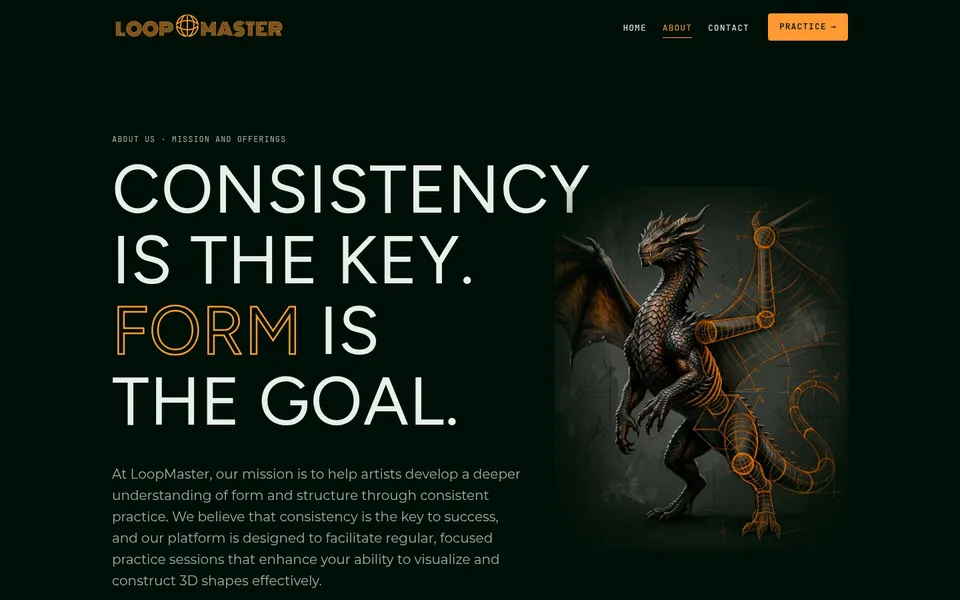
Every illustration follows one style brief: graphite and ink, an orange rim light, a flat #000F07 background, and figures that are “half rendered, half construction.” That last phrase does the same job as the solid/dashed rule: each image shows the finished form and how it was built.
- A full-colour golem was cut because it clashed with the palette.
- The dragon's reds were hue-shifted to the site orange rather than redone.
- A small script resizes every image and re-tones its background onto the site's ink, so no picture shows a box edge.
Where sharpness mattered, we went vector. The logo is a 433-px raster, so rather than scale it up for the About page, we redrew its globe as SVG lines that animate in.
Craft details
One moment on every page
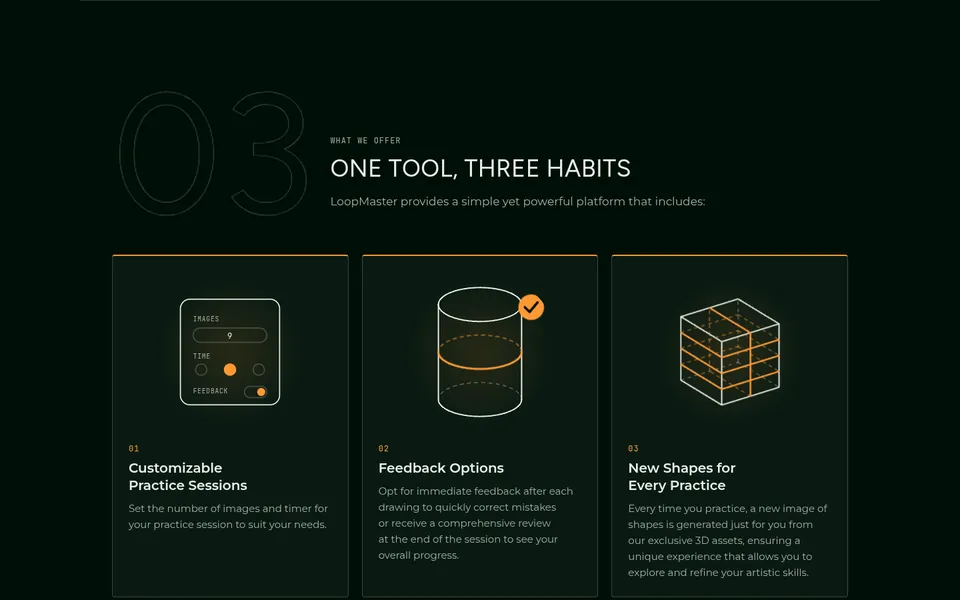
About opens with a manifesto: “Consistency is the key. Form is the goal.” Three animated tiles explain the offer, and a “gap” diagram makes the pitch: gesture drawing ✓, basic shapes ✓, cross-contour practice is a dashed line until an orange line draws across it and names Loop Master. The page ends on the redrawn globe seal.


Contact has the email with a Copy button and topic chips that pre-fill the subject line. Beside it, a paper airplane drawn in construction lines flies a loop-the-loop with an orange trail. Plane and trail share one SVG timeline, so they never drift apart.
Terms got an “In short” summary, sticky contents that highlight as you scroll, and privacy lines rewritten to say what the site actually does: no cookies, no analytics.
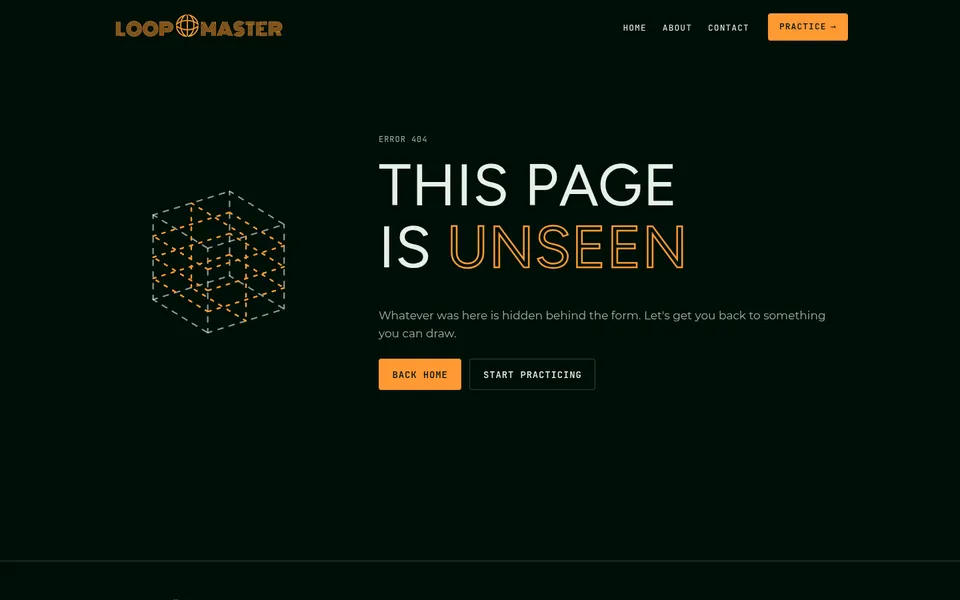
404 reads “This page is unseen,” next to a cube drawn entirely in moving dashed lines.

Performance & accessibility
16× lighter
The new home page is about 16 times lighter on first load, even with a live 3D scene in it.
| Measure | Before · WordPress | After · Astro |
|---|---|---|
| Home page, first load | ~6.8 MB, 29 requests | ~0.4 MB, 12 requests |
| Images on home | 6.7 MB | ~0.2 MB (responsive WebP, lazy below the fold) |
| Site files, excluding the game | 140 files, 18.6 MB | 63 files, 3.7 MB |
| JavaScript | Elementor scripts | ~3 KB gz per page; Three.js ~130 KB gz, Home only, after first paint |
| Delivered image size | 2.4–3.3 MB each | 8–330 KB, depending on screen |
Home page transfers measured on the live sites, first visit, nothing cached, before scrolling (new site measured October 23, 2026). Other rows from the production build.
Every animation has a way out. Reduced-motion users get a static frame of the city and of every other animation. Browsers without WebGL get a pre-rendered still of the same city from the same angle. The hero pauses when it scrolls off-screen, and the x-ray lens has a button for touch and keyboard.
Under the hood
How it's drawn
- Stack: Astro 7 (static), TypeScript, Three.js on Home only, no UI framework. About 3,800 lines of hand-written source, 0 type-check errors.
- Hidden-line rendering: invisible occluder meshes fill the depth buffer, then every edge is drawn twice: dashed with a greater depth test (hidden) and solid with a less-or-equal test (visible).
- The unseen zone: the all-dashed city is rendered to an MSAA render target and composited through a full-screen shader. Its mask is a rounded “squircle” around the headline with a low-frequency wobble, measured from the DOM on resize and font load.
- One city, two tools: the seeded generator is mirrored in a Blender Python script that produces the same 104 boxes and 168 loops, so a Blender render can loop seamlessly with the live one.
- Build-time SVG: the basic forms are projected in code and every segment is split into visible or hidden by its surface normal. The same geometry is reused on Home, Practice, About and 404.
- Hosting: GitHub Pages, because the game's
.wasmis 44 MB and Cloudflare Pages caps files at 25 MB. The file lives in Git LFS, and a guard step fails the build if an LFS pointer would ship instead of the real file. - Shipping safely: a dedicated branch, small commits per page, the old site preserved at a tag, deploys only on merge to
main.
Outcome
A website that looks like the skill it teaches
In two days Loop Master went from a template export to a hand-made site with a real design system, a live 3D hero, a ten-second taste of the game, and a home page about 16 times lighter. The orange that was buried in a page builder's palette now carries meaning: it is always a loop, the next action, or where you are.
Your brand could be next.